Table of Contents
Choosing between building a custom CRM and buying an off-the-shelf solution is one of the most impactful technology decisions a growing business can make. The right choice can accelerate your sales team's productivity by 40% or more, while the wrong decision can cost you hundreds of thousands in wasted resources.
In this comprehensive guide, we'll help you navigate the build vs buy decision for CRM development, covering costs, timelines, pros and cons, and the key factors that should drive your choice.
Understanding the CRM Landscape in 2025
Customer Relationship Management systems have evolved dramatically from simple contact databases to sophisticated platforms that orchestrate every customer interaction. Today's CRMs integrate sales, marketing, customer service, and analytics into unified ecosystems.
The CRM Market Overview
- Market Size: The global CRM market is valued at $88 billion and growing 13% annually
- Adoption Rate: 91% of companies with 10+ employees use a CRM system
- Custom CRM Trend: 35% of enterprises are investing in custom or heavily customized solutions
- Integration Priority: 82% of businesses cite integration capabilities as their top CRM requirement
Popular Off-the-Shelf CRM Options
- Salesforce - Enterprise leader, highly customizable, extensive ecosystem
- HubSpot - Marketing-first approach, excellent for inbound sales
- Microsoft Dynamics 365 - Deep Office integration, enterprise-focused
- Zoho CRM - Cost-effective, good for SMBs
- Pipedrive - Sales-focused, intuitive pipeline management
- Monday Sales CRM - Visual, flexible, growing rapidly
When to Buy an Off-the-Shelf CRM
For many businesses, existing CRM platforms offer the functionality they need at a fraction of custom development costs.
Buy Makes Sense When:
1. Your Processes Are Standard
If your sales process follows typical B2B or B2C patterns without unique requirements, off-the-shelf solutions have been optimized for exactly these workflows over decades.
2. You Need to Move Fast
Off-the-shelf CRMs can be deployed in days or weeks, while custom development takes months. If time-to-value is critical, buying is faster.
3. Budget Constraints
With SaaS pricing starting at $15-50/user/month for basic tiers, entry costs are much lower than custom development. However, consider that enterprise tiers can reach $150-300/user/month.
4. You Want Proven Solutions
Major CRM vendors have millions of users, meaning bugs are quickly identified and fixed, and you benefit from continuous improvements without additional investment.
5. Limited Technical Resources
Off-the-shelf CRMs require minimal technical expertise to maintain. The vendor handles hosting, security updates, and platform maintenance.
Limitations of Off-the-Shelf CRMs
- Customization Limits - Eventually, you hit walls in what can be configured
- Vendor Lock-in - Your data and processes become tied to one platform
- Feature Bloat - You pay for features you'll never use
- Integration Challenges - Connecting to proprietary systems can be difficult
- Ongoing Costs - Per-user pricing adds up quickly as you scale
When to Build a Custom CRM
Custom enterprise software development makes sense when off-the-shelf solutions create more problems than they solve.
Build Makes Sense When:
1. Unique Business Processes
If your competitive advantage depends on unique sales processes, customer interactions, or workflows that can't be replicated in standard CRMs, custom development preserves your differentiation.
2. Complex Integration Requirements
When you need deep, real-time integrations with proprietary systems, legacy databases, or specialized industry software, custom development via API integration services offers more flexibility.
3. Industry-Specific Needs
Healthcare, financial services, manufacturing, and other regulated industries often have requirements that general-purpose CRMs can't adequately address.
4. Scale Economics
At a certain team size (typically 200+ users), the total cost of ownership for custom CRM becomes comparable or cheaper than enterprise SaaS pricing, especially considering:
| Team Size | Salesforce Enterprise (Annual) | Custom CRM (5-Year TCO/Year) |
|---|---|---|
| 50 users | $90,000 | $60,000+ |
| 200 users | $360,000 | $80,000+ |
| 500 users | $900,000 | $120,000+ |
5. Data Control Requirements
If regulations or company policies require complete data ownership and on-premises hosting, custom development is often the only viable option.
6. Competitive Advantage
If CRM capabilities are central to your product or service offering, owning the technology gives you control over innovation and prevents competitors from accessing the same tools.
Custom CRM Development: What to Include
Core CRM Modules
- Contact Management - Centralized database of customers, leads, and accounts with custom fields
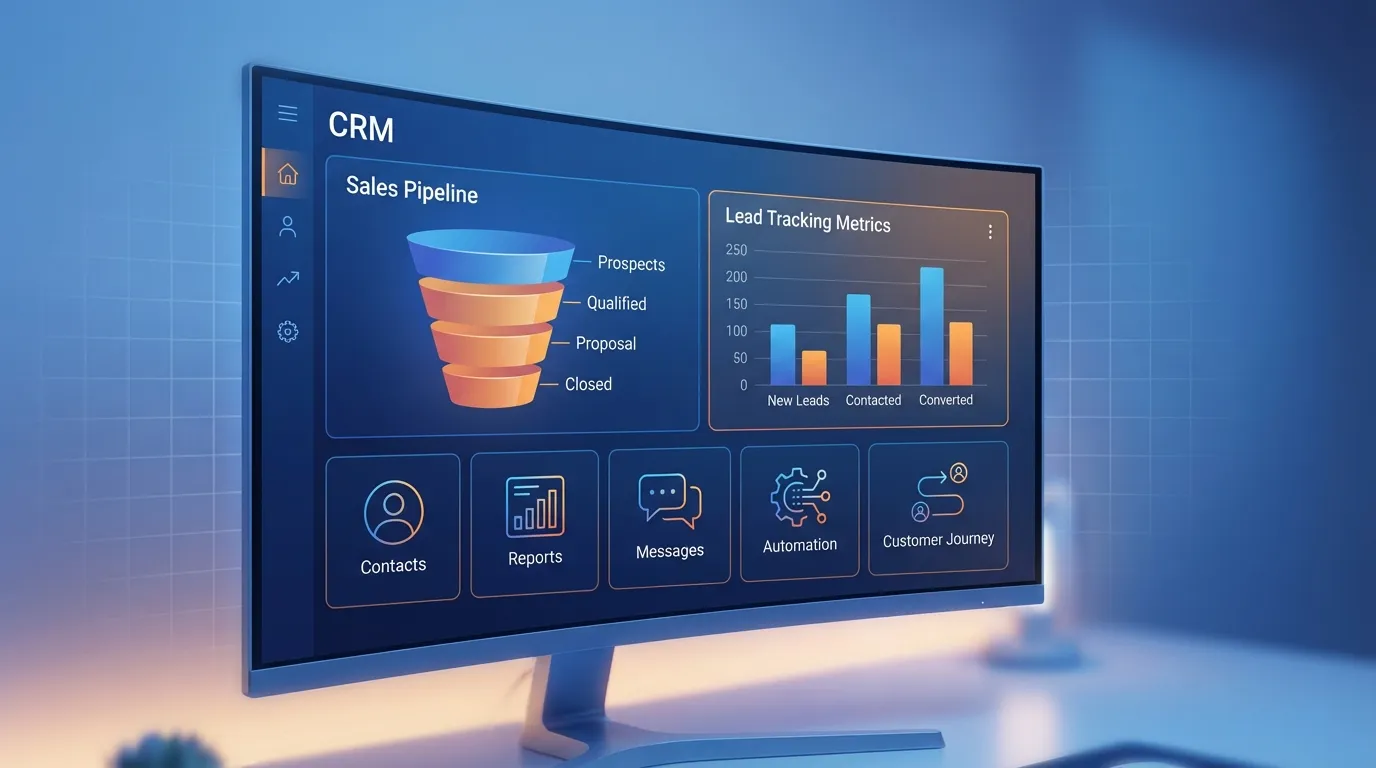
- Sales Pipeline - Visual pipeline management with custom stages and automation
- Activity Tracking - Calls, emails, meetings, and tasks linked to records
- Reporting & Analytics - Custom dashboards, reports, and business intelligence
- User Management - Roles, permissions, and team hierarchies
Advanced Features
- Marketing Automation - Email campaigns, lead scoring, nurture sequences
- Customer Service - Ticketing, knowledge base, live chat integration
- AI/ML Capabilities - Predictive lead scoring, churn prediction, next-best-action using AI integration
- Mobile Apps - Native iOS/Android apps for field sales teams
- Document Management - Proposals, contracts, and e-signatures
- Territory Management - Geographic and account-based territory assignment
Integration Capabilities
- Email Integration - Gmail, Outlook sync with automatic logging
- Calendar Sync - Two-way calendar integration
- Telephony - Click-to-call, call recording, VoIP integration
- ERP Systems - Order management, inventory, invoicing
- Marketing Tools - Mailchimp, Marketo, Google Ads
- Social Media - LinkedIn, Twitter for social selling
Custom CRM Development Costs
Development Cost Breakdown
| CRM Complexity | Development Cost | Timeline | Scope |
|---|---|---|---|
| Basic CRM | $40,000 - $80,000 | 3-4 months | Contacts, pipeline, basic reporting |
| Standard CRM | $80,000 - $150,000 | 4-6 months | + Marketing automation, integrations |
| Advanced CRM | $150,000 - $300,000 | 6-10 months | + AI features, mobile apps, advanced analytics |
| Enterprise CRM | $300,000 - $750,000+ | 10-18 months | Full platform, multi-tenant, white-label |
Ongoing Costs
- Hosting & Infrastructure - $500 - $5,000/month depending on scale
- Maintenance & Updates - 15-20% of development cost annually
- Support Team - Dedicated resources for user support and training
- Security & Compliance - Regular audits, penetration testing
- Feature Development - Budget for continuous improvement
The Custom CRM Development Process
Phase 1: Discovery & Requirements (2-4 weeks)
- Stakeholder interviews across sales, marketing, and service teams
- Current process mapping and pain point identification
- Integration requirements analysis
- Feature prioritization and MVP definition
- Technical architecture planning
Phase 2: Design & Prototyping (3-5 weeks)
- User experience research and persona development
- Information architecture and navigation design
- Wireframing key workflows
- UI/UX design with clickable prototypes
- User testing and iteration
Phase 3: Development (8-16 weeks)
- Backend API development
- Database design and optimization
- Frontend application development
- Third-party integrations
- Mobile app development if required
- Automated testing implementation
Phase 4: Testing & Deployment (2-4 weeks)
- Quality assurance and bug fixing
- Performance testing and optimization
- Security testing and hardening
- Data migration from existing systems
- User acceptance testing
- Training and documentation
Phase 5: Launch & Iteration
- Phased rollout to user groups
- Feedback collection and rapid iteration
- Performance monitoring
- Ongoing feature development
- Maintenance and support
Decision Framework: Build vs Buy
Use this scoring framework to guide your decision:
Score These Factors (1-5)
| Factor | Favors Buy (1-2) | Favors Build (4-5) |
|---|---|---|
| Process Uniqueness | Standard sales process | Highly unique workflows |
| Integration Complexity | Common tools only | Proprietary/legacy systems |
| Scale (users) | Under 100 users | 500+ users |
| Budget | Limited upfront capital | Capital available for investment |
| Timeline | Need solution in weeks | Can invest 6+ months |
| Technical Team | No in-house developers | Strong technical capabilities |
| Data Control | Cloud hosting acceptable | Must own all data |
| Competitive Advantage | CRM is support function | CRM is core differentiator |
Scoring Interpretation:
- 8-16 points: Buy an off-the-shelf CRM
- 17-24 points: Consider customized off-the-shelf or hybrid approach
- 25-40 points: Build a custom CRM
The Hybrid Approach: Best of Both Worlds
Many companies find success with a hybrid strategy:
Option 1: Customized Off-the-Shelf
Start with a platform like Salesforce or HubSpot and invest in significant customization through their development frameworks. This gives you faster time-to-market while addressing unique requirements.
Option 2: Custom Core + Third-Party Add-ons
Build your core CRM functionality custom but integrate best-in-class tools for specific functions (marketing automation, email, telephony).
Option 3: Phased Migration
Start with an off-the-shelf solution to validate requirements, then gradually migrate to custom as you understand your true needs.
Common CRM Implementation Mistakes
1. Underestimating User Adoption
The best CRM is worthless if your team doesn't use it. Invest heavily in training, change management, and making the system genuinely useful for daily work.
2. Over-Customizing Too Early
Whether buying or building, start with core functionality and add complexity based on proven needs, not assumptions.
3. Ignoring Data Quality
Garbage in, garbage out. Establish data governance policies and validation rules from day one.
4. Neglecting Mobile Experience
Sales teams live on mobile devices. A poor mobile experience kills adoption.
5. Forgetting About Reporting
Build reporting capabilities early. If leadership can't get insights, they won't champion the system.
Ready to Make Your CRM Decision?
Whether you decide to buy, build, or pursue a hybrid approach, the key is choosing a path that aligns with your business needs, timeline, and resources.
At ScalingWeb, we've helped businesses across the spectrum—from implementing and customizing off-the-shelf CRMs to building fully custom enterprise solutions. Our team can help you:
- Evaluate your requirements and recommend the right approach
- Customize existing CRM platforms for your unique needs
- Build custom CRM solutions from the ground up
- Integrate CRM with your existing technology stack
- Migrate data from legacy systems
Need help deciding? Contact us for a free CRM consultation where we'll analyze your requirements and recommend the best path forward for your business.

Written by
Stacy
Expert team in digital transformation and web technologies.